

DigitalOcean Embeddings with Weaviate
Weaviate's integration with DigitalOcean's Serverless Inference lets you access DigitalOcean-hosted embedding models directly from Weaviate.
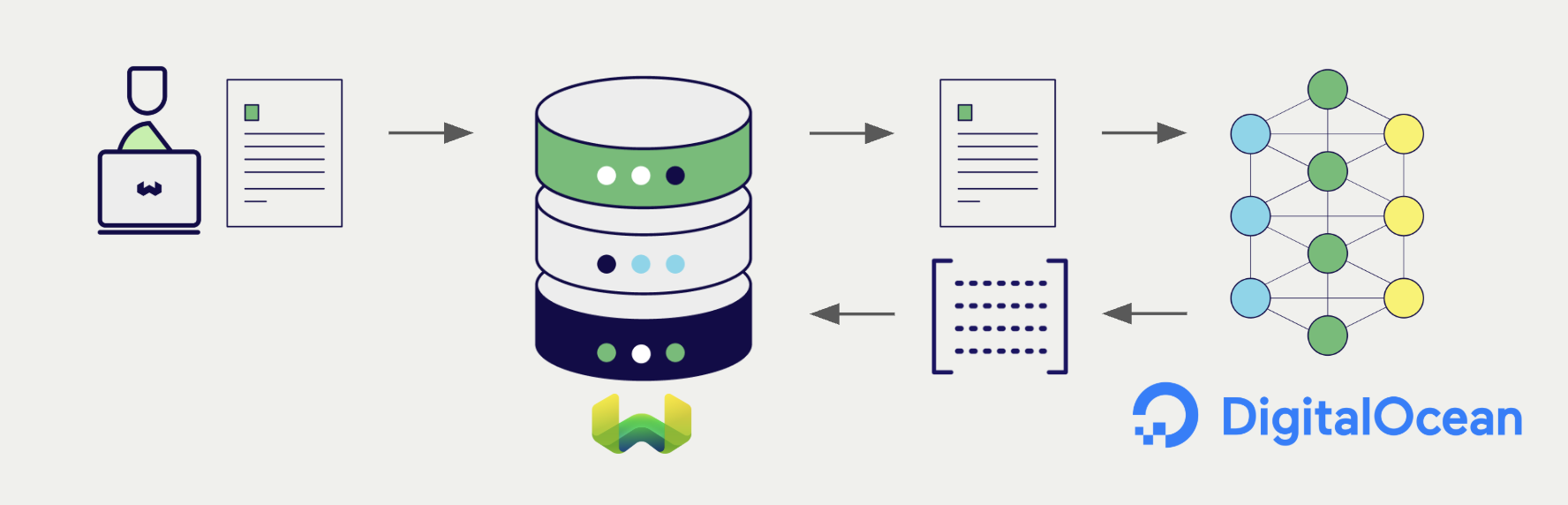
Configure a Weaviate vector index to use a DigitalOcean embedding model, and Weaviate generates embeddings for imports and searches automatically using your DigitalOcean API key. This is the vectorizer.
At import time, Weaviate generates text object embeddings and saves them into the index. For vector and hybrid search operations, Weaviate converts text queries into embeddings.
Requirements
Weaviate configuration
Your Weaviate instance must have the text2vec-digitalocean module enabled.
For Weaviate Cloud (WCD) users
This integration is enabled by default on Weaviate Cloud (WCD) instances.
For self-hosted users
- Check the cluster metadata to verify if the module is enabled.
- Follow the how-to configure modules guide to enable the module in Weaviate.
API credentials
You must provide a DigitalOcean API key to Weaviate for this integration. Generate one in the DigitalOcean Cloud console and supply it via one of:
- Set the
DIGITALOCEAN_APIKEYenvironment variable on the Weaviate server. - Provide the
X-Digitalocean-Api-Keyheader at request time, as shown below.
 API docs
If a snippet doesn't work or you have feedback, please open a GitHub issue.
import weaviate
from weaviate.classes.init import Auth
import os

# Recommended: save sensitive data as environment variables
digitalocean_key = os.getenv("DIGITALOCEAN_APIKEY")
headers = {
    "X-Digitalocean-Api-Key": digitalocean_key,
}

client = weaviate.connect_to_weaviate_cloud(
    cluster_url=weaviate_url,                       # `weaviate_url`: your Weaviate URL
    auth_credentials=Auth.api_key(weaviate_key),      # `weaviate_key`: your Weaviate API key
    headers=headers
)

# Work with Weaviate

client.close()
Configure the vectorizer
Configure a Weaviate index to use a DigitalOcean Serverless Inference model by setting the vectorizer as follows:
API docsIf a snippet doesn't work or you have feedback, please open a GitHub issue.
from weaviate.classes.config import Configure

client.collections.create(
    "DemoCollection",
    vector_config=[
        Configure.Vectors.text2vec_digitalocean(
            model="qwen3-embedding-0.6b",  # Required. Choose from the DigitalOcean Serverless Inference catalogue
            name="title_vector",
            source_properties=["title"],
        )
    ],
    # Additional parameters not shown
)
Vectorizer parameters
model: Required. The DigitalOcean Serverless Inference model id, for exampleqwen3-embedding-0.6b. QueryGET /v1/modelson the inference endpoint to see the catalogue of available models for your account.baseURL: Optional. The base URL where API requests should go. Defaults tohttps://inference.do-ai.run. Override only if you're proxying or running against a non-default endpoint.
Header parameters
You can override the API key per-request via headers. Headers provided at request time take precedence over the server-side DIGITALOCEAN_APIKEY environment variable:
X-Digitalocean-Api-Key: The DigitalOcean API key for this request.
Data import
After configuring the vectorizer, import data into Weaviate. Weaviate generates embeddings for text objects using the configured model.
If you already have a compatible model vector available, you can provide it directly to Weaviate. This can be useful if you have already generated embeddings using the same model and want to use them in Weaviate, such as when migrating data from another system.
Searches
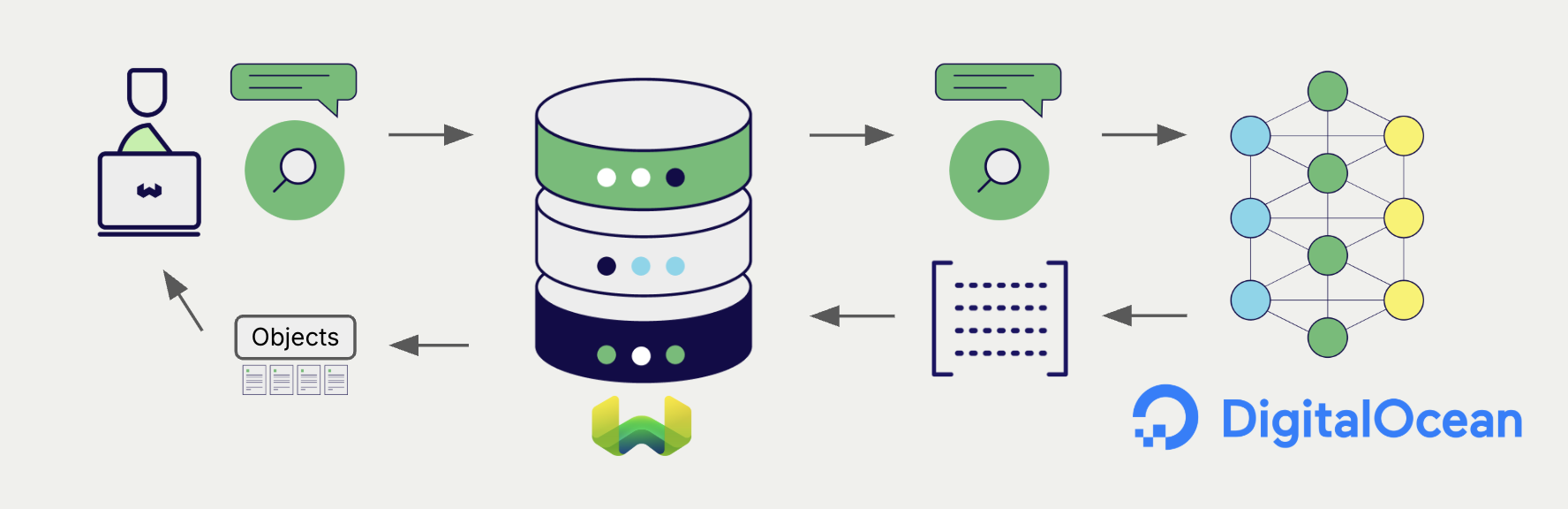
Once the vectorizer is configured, Weaviate performs vector and hybrid searches using the specified DigitalOcean model.
Vector (near text) search
When you perform a vector search, Weaviate converts the text query into an embedding using the configured DigitalOcean model and returns the most similar objects.
Hybrid search
When you perform a hybrid search, Weaviate fuses keyword and vector ranking. The text query is embedded with the configured DigitalOcean model; the keyword side uses Weaviate's inverted index.
References
Available models
DigitalOcean's Serverless Inference catalogue includes several embedding-capable models. See the DigitalOcean Serverless Inference docs for the live list, as model availability and dimensions can change.
DigitalOcean's /v1/embeddings endpoint does not accept a dimensions request field at the time of writing, even for Matryoshka Representation Learning (MRL)-capable models like qwen3-embedding-0.6b whose native output could otherwise be truncated. Weaviate intentionally does not forward a dimensions parameter to avoid silent no-ops; the embedding dimension is always the model's native size.
Further resources
Other integrations
Code examples
Once the vectorizer is configured, Weaviate handles model inference transparently. The standard client library how-tos apply unchanged. No DigitalOcean-specific code is required at query or import time beyond the configuration shown above.
Questions and feedback
Have a question or feedback? Here's how to reach us.